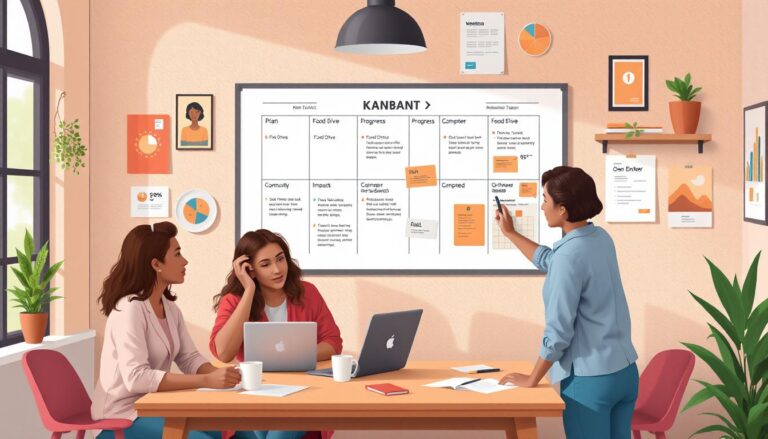
The Agile Collaborator: Tools for Team Synergy
Understanding Agile Collaboration: The Heartbeat of Team Synergy
At the core of every thriving Agile development team lies an often-underrated ingredient seamless collaboration. Agile isn’t just a set of rituals or a project tracking methodology; it’s a cultural shift built on transparency, frequent communication, and continuous improvement. When teams embrace these values, their cohesion sharpens, decision-making accelerates, and outcomes dramatically improve.
But with the surge in remote and hybrid work, the days of huddling around a whiteboard or striking up spontaneous hallway discussions are fading. Today’s Agile practitioners lean heavily on digital collaboration tools to keep everyone in sync, regardless of time zones or office locations. These digital platforms play far more than a supporting role they are the backbone of how modern teams brainstorm, plan sprints, conduct daily stand-ups, capture retrospectives, and handle the inevitable surprises that crop up mid-iteration.
Choosing the right tools isn’t just about ticking boxes or chasing trends it’s about crafting a virtual workspace where people can connect, innovate, and deliver with consistency. So, how do Slack, Miro, and their contemporaries empower Agile workflows? Which tool fits each phase best? And how do they actually drive genuine synergy instead of just adding digital clutter? Let’s break it down with real-world insights and practical comparisons.
Key Features of Agile Collaboration Tools: What Matters Most?
Not all collaboration tools are created equal. Savvy teams evaluate them based on the core functionalities that directly enhance Agile rituals and group interactions. Here are the critical attributes to look for when assembling your digital toolkit:
- Instant Communication: The ability to chat, share updates, and resolve blockers in real time is a must-have whether through text, voice, or video.
- Visual Collaboration Spaces: Visual boards, sticky notes, and wireframing tools mimic in-person brainstorming, making ideation less abstract and more hands-on.
- Integration with Development Tools: Trello cards linked to Jira issues, Slack channels piping in GitHub updates these integrations bridge the gap between communication and execution.
- Async Workflows: Distributed teams thrive on features like document co-editing, recorded meetings, and comment threads that let people contribute outside synchronous hours.
- Agile Ceremony Support: Pre-built templates for sprint planning, retrospectives, or Kanban boards ensure practices don’t get lost in translation.
- Transparency and Traceability: Comprehensive search, activity logs, and versioning help track decisions, surface action items, and keep knowledge within easy reach.
It’s not enough for a tool to “do it all” sometimes less is more, particularly if simplicity reduces friction. The best platforms empower teams to work the way they want, with just enough structure to guide best practices without stifling creativity.
Comparing the Big Players: Slack, Miro, and the Rest
Several platforms dominate the Agile collaboration landscape, but each takes a unique approach. Here’s how some stalwarts stack up:
1. Slack: Real-Time and Persistent Conversations
- Use Case: Best at daily stand-ups, cross-team communication, urgent issue resolution, and integrating workflows with bots or plug-ins (e.g., Jira, GitHub, or Google Drive).
- Standout Features: Channels for focused discussions, direct messaging, thread replies for context, and searchable histories. Slack huddles and calls facilitate quick voice conversations reminiscent of “leaning over the cubicle wall.”
- Limitations: Rapid flows can feel overwhelming; important info might get buried. Managing noise requires diligent channel design and notification hygiene.
2. Miro: The Digital Whiteboard for Thinkers
- Use Case: Excels at visual workshops mind mapping user stories, sprint planning, affinity diagramming, and creative retrospectives.
- Standout Features: Drag-and-drop sticky notes, freeform drawing, real-time multi-user editing, a library of Agile templates, and easy export for documentation.
- Limitations: Large boards can become unwieldy; occasional lag with many simultaneous users; requires some upskilling for non-visual thinkers.
3. Trello & Jira: The Task Trackers
- Trello: Kanban-style lists for task management, well-suited for lighter Agile teams or quick prototyping.
- Jira: Robust ticketing and backlog management, granular permissions, deep reporting ideal for complex or scaled Agile environments.
4. Zoom, MS Teams, and Google Meet: The Meeting Rooms
- Video conferencing tools are indispensable for distributed stand-ups, sprint reviews, and deep-dive retrospectives. Recorded meetings further support asynchronous review.
5. Confluence & Notion: The Living Knowledge Bases
- Where documentation, decisions, and retrospectives live for easy reference, linking directly to user stories, action items, and onboarding guides.
No single tool will cover every scenario perfectly. The real magic lies in picking the right combination and tailoring your workflows to maximize their strengths without succumbing to “tool overload.”
Crafting a Cohesive Agile Toolset: Integration and Adaptability
Success in Agile collaboration isn’t about betting everything on one platform. Rather, it’s about crafting a toolkit where each piece plays to its strengths and communicates smoothly with others. Picture an orchestra: every instrument is finely tuned, complementing others to create harmony.
Central to this vision is integration. For example, Slack’s robust API lets you pipe Jira updates, deploy notifications, or bug-tracking alerts directly into targeted channels. Miro boards can be embedded in Confluence pages to preserve outcomes from planning workshops. Trello cards can auto-create Jira tickets when a feature reaches maturity. These connections eliminate data silos and manual cross-posting, so important information flows wherever it’s needed.
Adaptability is equally crucial. Teams evolve, and so do workflows. Perhaps daily stand-ups start in Slack, but deeper retrospectives shift to Miro for richer ideation. Documentation may shift from Google Docs to Notion as project scope expands. Agile itself encourages inspection and adaptation not just in code, but in the very way teams interact.
Here are some practical tips for assembling a cohesive toolset:
- Limit Redundancy: Avoid having multiple tools do the same job (e.g., two chat apps). This keeps context-switching to a minimum.
- Automate Where Possible: Use bots, triggers, and integrations to surface important context automatically. Let tools handle the grunt work; keep human energy for creative problem-solving.
- Foster Habits: Ritualize tool usage (e.g., “every stand-up update goes in Slack at 9AM”) to build muscle memory, making the tools fade into the background.
- Regularly Retrospect: Ask the team what’s working (or not) during retrospectives. Switch up tools if friction creeps in. Stay nimble!
Remember, the best tool is the one your team embraces and actually uses not necessarily the one with the flashiest demo or deepest feature set.
Use Cases: Matching Tools to Agile Ceremonies and Workflows
To illustrate how specific collaboration platforms best support Agile activities, let’s walk through a typical sprint, mapping key tools to each phase:
1. Sprint Planning
- Miro boards provide space for user story mapping and prioritization exercises. Teams can sketch, vote, and co-create sprint goals visually, even if scattered globally.
- Follow with detailed tickets in Jira or Trello for granular planning and assignment of tasks.
2. Daily Stand-ups
- Slack channels or dedicated MS Teams chats keep each developer’s update visible. Emojis for status, quick file drops, and thread discussions replace “around the room” rituals.
- Video calls (Zoom or Teams) foster real-time eye contact for teams that crave it, with shared tracking docs visible to all.
3. Sprint Reviews & Demos
- Screen sharing via Zoom, Teams, or Google Meet brings stakeholders up to speed on shipped features.
- Link Miro boards or Confluence pages to showcase outcomes, capture demo feedback, and propose adjustments.
4. Retrospectives
- Miro’s retrospective templates make group exercises (like “Start/Stop/Continue”) engaging. Teams can add sticky notes, upvote ideas, and visually cluster feedback.
- For quieter teams, asynchronous Confluence or Notion pages populated over a few days tend to surface deeper insights without pressure.
5. Backlog Grooming
- Use Trillo or Jira’s backlog view in a shared call or Slack huddle, moving cards, refining estimates, and clarifying requirements as a group.
Through each ceremony, the best tool is the one that feels natural for the team whether that’s post-its and webcams, or hyperlinked Kanban boards and emoji reactions.
Overcoming Common Pitfalls: Potential Traps and How to Avoid Them
No tool, no matter how flashy, is immune to misuse. In fact, collaboration tools can ironically introduce new hurdles if not handled thoughtfully. To preserve the human elements of Agile, consider these watch-outs:
- Tool Overload: Juggling too many platforms divides attention and scatters information. Always simplify where you can.
- Notification Fatigue: Constant pings, alerts, and pop-ups can exhaust focus. Encourage team members to tailor notification settings and respect quiet hours.
- “Lost in the Stream” Syndrome: Critical updates or decisions can vanish in message history, especially in chat-driven platforms. Make use of bookmarks, pins, and recurring digests to surface what matters.
- Lack of Training or Buy-In: Tools shoved onto a team without introduction or clear value will quickly become shelfware. Invest time in onboarding, demonstrate quick wins, and invite feedback on what’s truly useful.
- Process Over Tool: Remember tools amplify process they shouldn’t drive it. Be willing to bend workflows to fit your team’s rhythm rather than twisting people to fit a platform’s defaults.
Think of productivity tools as amplifiers, not substitutes for good habits or adaptive processes. The most powerful collaboration happens when teams shape tools organically, not when they force themselves into rigid molds.
Future Trends in Agile Collaboration: What Lies Ahead?
Collaboration tech is far from static today’s cutting edge can quickly become yesterday’s news. Several trends are reshaping the future of team synergy:
- AI-Augmented Workflows: Smart bots that summarize conversations, flag potential blockers, or even auto-generate retrospective themes widen the human-computer partnership.
- Deeper Integrations: Unified dashboards that pull from dozens of platforms are becoming the norm. Imagine seeing Jira sprint burndowns, Slack thread highlights, and Miro brainstorming outcomes in a unified portal.
- Richer Remote Experiences: Virtual “offices” emulate physical team interactions, with drop-in audio, avatar-based whiteboards, and instant context switching.
- Asynchronous-First Design: As global teams grow, tools are being built from the ground up to support work that doesn’t require everyone at their screens simultaneously. Example: advanced comment threading, rich annotation, and time-shifted stand-ups.
Even with all the technological leaps, one truth persists: people not platforms are at the heart of Agile. What will matter most isn’t the shiniest feature, but how deftly teams wield their tools to spark innovation, bridge divides, and adapt to whatever comes next.
Conclusion: Building Lasting Synergy with the Right Tools
Agile collaboration, at its best, looks a lot like jazz each player improvises brilliantly, but everyone listens and adapts to the group. The right suite of collaboration tools Slack, Miro, Jira, Trello, Confluence, and beyond transforms a scattered set of individuals into a high-performing ensemble.
While the “best” tools will differ team to team, the guiding principle remains constant: pick your instruments thoughtfully, tune them often, and don’t let them drown out the creativity and drive at the core of your Agile culture. Retrospect frequently, stay open to new trends, and above all, let the people not just the platforms lead the way.
A well-chosen digital toolkit, shaped by the rituals and rhythms of your unique team, paves the way for true synergy. And with that foundation in place, there’s no limit to what an Agile team can achieve no matter where in the world its members may be.